

Yes—Codility has checks that can flag suspected ChatGPT use, including comparisons with AI-generated solutions and analysis of how code was entered. Some assessments also require a desktop app designed to detect hidden AI helper tools. A flag is evidence for review, not proof that ChatGPT wrote your answer or an automatic rejection.
Two questions matter before your test: what does this assessment permit, and which checks has the employer enabled? A browser test, an assessment inside the Codility App and an interview with an approved AI assistant can have different conditions.
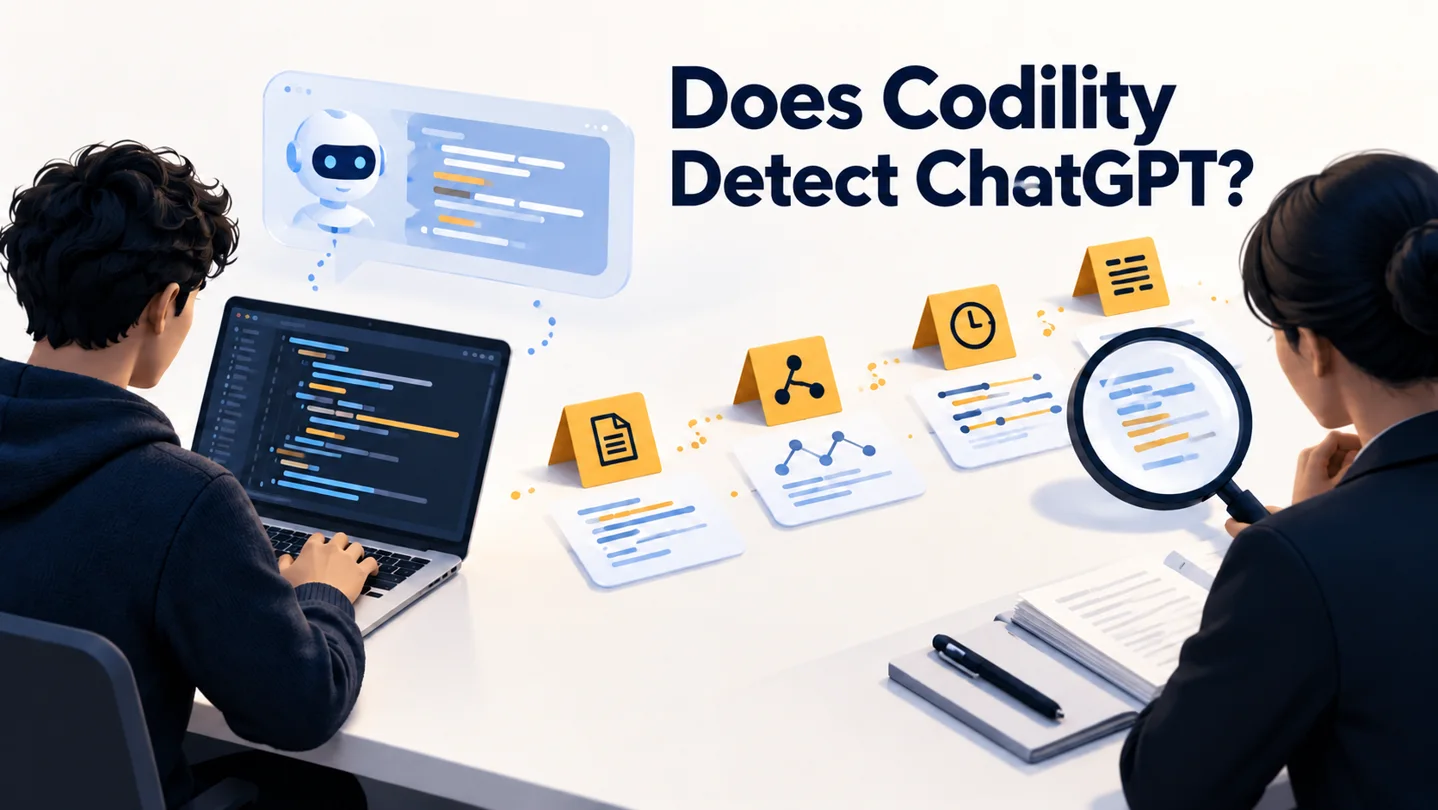
Scope and disclosure: SkillCopilotAI publishes this guide and sells an interview assistant. We used AI-assisted research to check the linked Codility documentation on October 21, 2026, and ran an AI-assisted Java 21 solution in Codility's public Demo Test. The screenshots below record that demo run, not an employer's assessment or an AI-detection benchmark. We did not test whether Codility detects ChatGPT or SkillCopilotAI. The cover is an AI-generated editorial illustration. The separate Python practice exercise is original teaching material, not a Codility question.
Updated October 22, 2026. Includes screenshots from our public demo run; this run does not verify AI-detection effectiveness.
What can Codility detect about ChatGPT use?
Codility does not need to identify your ChatGPT account to raise an integrity concern. Its published checks examine the submitted work, activity during the session and, in a configured desktop environment, helper applications.
| Check | What Codility describes | What the signal does not establish |
|---|---|---|
| Similarity Check | Comparing submitted code with other solutions, including AI-generated answers | That a particular person used ChatGPT, or that every similar solution is misconduct |
| Typing Pattern Detection | Analyzing input patterns for signs of retyping code from an external source | Certainty about authorship or a reason to reject someone without context |
| Behavioral proctoring | Recording events such as pasted code, tab changes and attempts to copy task text, when configured | Why an event occurred; other enabled recording may provide context |
| Desktop app checks | Surfacing hidden AI helper applications when the employer enables the app-based assessment | That every browser test has the same access or that every tool will be detected |
The important distinction is between a recorded event and an explanation for that event. Pasting a block of code records how it entered the editor; it does not, by itself, identify who wrote it. The employer must interpret that event against the test's rules and the rest of the work.
Similarity Check: comparing solutions
Codility's Similarity Check documentation says submissions can be compared with AI-generated solutions as well as other submitted and leaked answers. It also warns that simple problems can produce coincidentally similar solutions.
Coverage has limits: the documentation excludes categories including SQL, multiple-choice, essay and project tasks, and describes score conditions for running the check. An exclusion from this check does not mean the assessment has no other integrity controls.
A similarity warning should lead to contextual review. Codility recommends asking the candidate to explain the solution and their reasoning rather than treating the warning as a verdict.
Typing Pattern Detection: how the code arrived
Typing Pattern Detection is a behavioral signal intended to identify possible retyping from external AI assistants. Codility says the analysis runs after submission and is enabled by default, with a per-assessment option to disable it.
The feature has task and code-length limitations. Its documentation explicitly distinguishes a likely pattern from certainty and says the flag should be considered alongside the work and other evidence.
This is why a claim that help on another device is automatically undetectable is too strong: moving the source does not remove the behavior involved in entering its answer. This guide does not establish a detection success rate for that scenario.
Does a browser test monitor the same things as the desktop app?
No. Codility's Assessment Integrity Features guide describes configurable proctoring, including pasted code and tab changes. Screen and audio/video recording are optional controls, so it would be inaccurate to say every Codility test records your screen.
That guide separately describes Device Integrity (Preview), which requires candidates to take an enabled assessment or interview inside the Codility App for macOS or Windows. Codility's public Cheating apps detection page also describes an app-based feature for surfacing AI helper overlays hidden from screen sharing.
Those are the names used by the two sources. Neither description supports assuming that an ordinary browser page has all of the desktop app's capabilities. Check the invitation, setup instructions and notices for your actual session.
Window visibility is also a separate issue from permission. An application being absent from a shared-screen view does not establish that it is allowed, or that other checks cannot raise a concern.
Can I use ChatGPT for a Codility test?
Only if the rules for that assessment permit it. Codility supports configurable AI access, but access to an approved built-in assistant is not blanket permission to use an external ChatGPT session.
The Codility Trust Center says employers can enable or disable the AI Assistant per assessment and that enabled AI interactions are recorded for review. An assessment can therefore evaluate how someone uses AI openly, rather than require entirely unassisted work.
Before starting, resolve these questions:
- Is external AI allowed, or only an assistant provided inside the assessment?
- Are documentation, personal notes and a local IDE permitted?
- May assessment content be sent to an external service?
If the invitation is unclear, send a specific question:
“For this Codility assessment, may I use external ChatGPT or other AI coding tools, or only tools provided inside the test? Are documentation, a local IDE and personal notes allowed? Please also confirm whether test content may be shared with an external service.”
Keep the reply and follow those conditions. A take-home format does not, on its own, grant permission to use outside help.
What happens if Codility flags your assessment?
Codility's current explanation of AI detection distinguishes evidence about tools and behavior from guessing authorship from finished code. It says integrity signals inform a human reviewer rather than automatically reject the candidate.
That does not promise that an employer will disregard a concern. It means a flag and the eventual hiring decision are different steps.
If a recruiter contacts you, ask which event or part of the solution needs clarification. Explain what actually happened: the tools you used, the permission you relied on and how you developed the answer. If you used an allowed local editor, describe that workflow accurately. Do not invent an editing history to explain a pasted block.
Be ready to walk through the code, justify its complexity and change it for a new requirement. If a technical interruption affected your session, report the facts and approximate time. For example, describe a browser failure as a browser failure rather than speculating about what the monitoring system inferred.
Codility also offers configurable follow-up questions for take-home assessments. These check understanding of a submission; they are a different mechanism from identifying the source of the code.
Our public Codility demo run: screenshots and limits
To document the actual workflow, we opened the demo linked from Codility's candidate FAQ, skipped registration and entered an AI-assisted Java 21 solution using browser automation. The Demo Test introduction showed a 30-minute limit and one task. The task-description panel is collapsed in the editor screenshot; the visible code is the solution entered for this run.
After correcting an editor input issue, we clicked Run code. Codility reported successful compilation and OK for all three example tests. The output also warned that example tests do not determine the submission score.
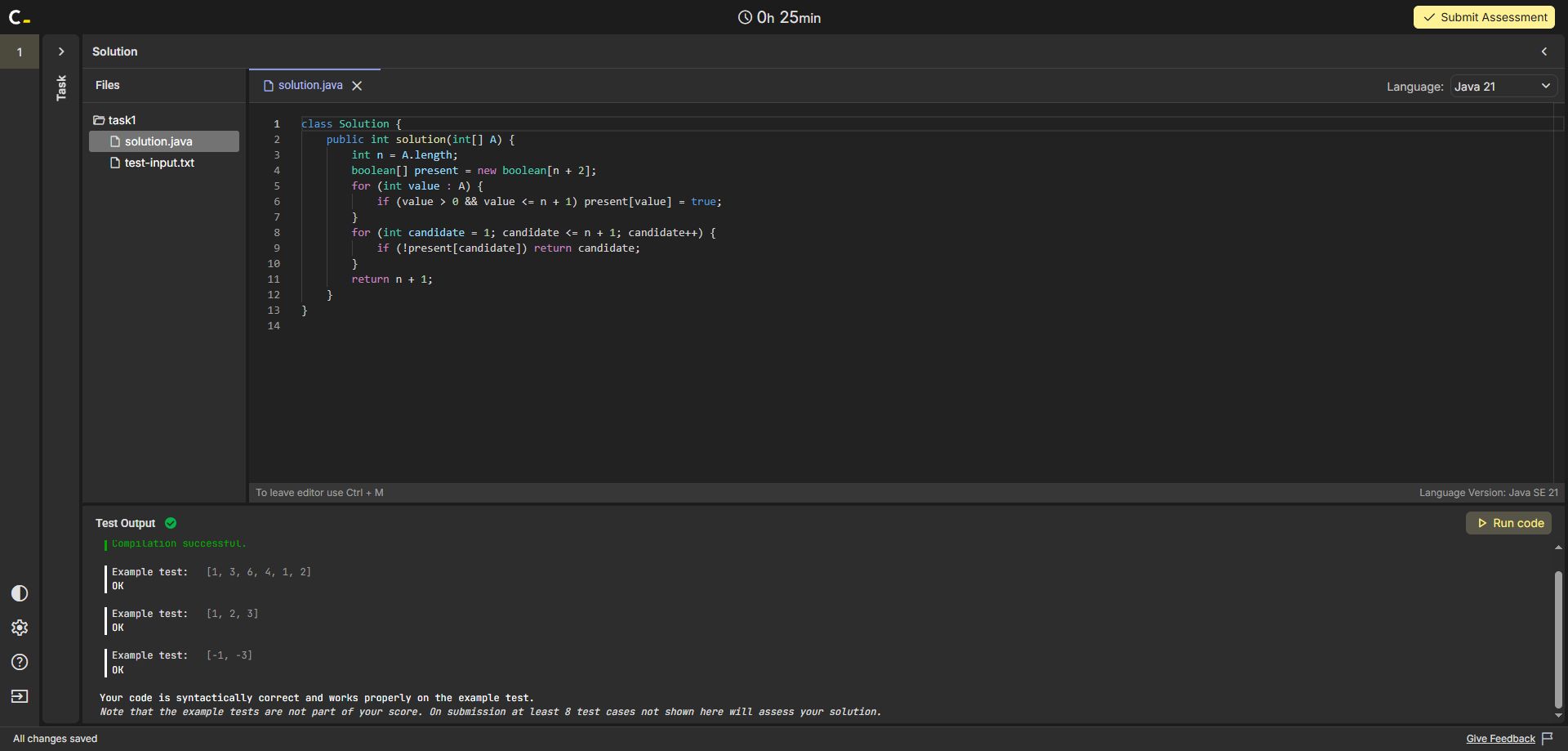
Actual public-demo run captured October 21, 2026. This shows code execution and example-test results, not an integrity finding. Open the full-size run screenshot.
We then submitted the demo. Its summary recorded 100% correctness, 100% performance and a 100% task score, with 3/3 example, 5/5 correctness and 4/4 performance cases passed. The displayed submission time was October 21, 2026, at 23:57 CST.
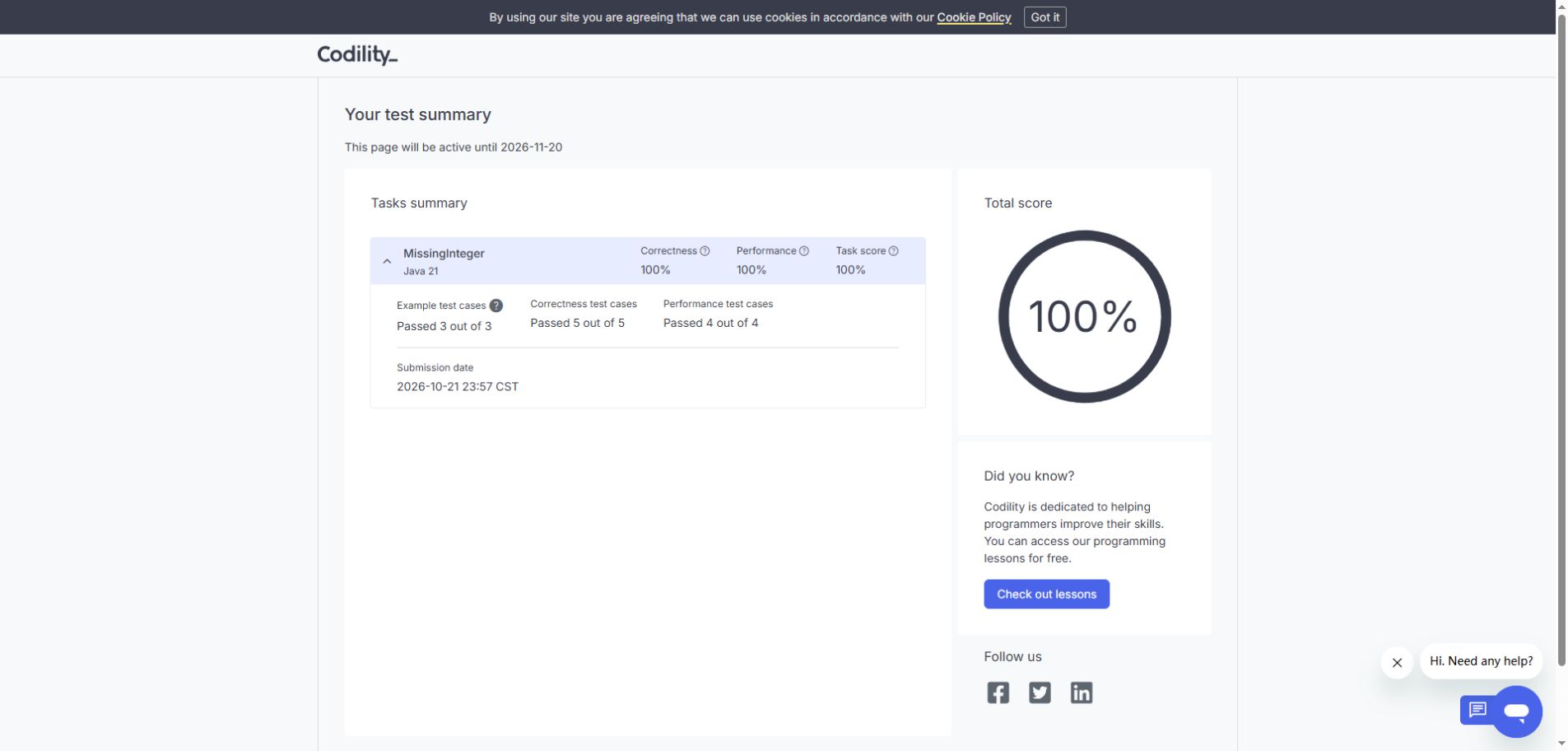
Actual demo feedback page, captured after submission. These percentages describe this solution's code score. They are not AI-detection or hiring outcomes. Open the full-size summary screenshot.
This result does not show that AI use went undetected. The candidate-facing demo summary did not provide an employer-side integrity report, and we did not control or verify detection settings. A correct AI-assisted solution and the absence of a visible candidate warning cannot establish whether a separate integrity signal was recorded. Use the demo to learn the editor, execution and submission flow—not to predict what an employer's configured assessment will flag.
Prepare to explain your code before test day
Use AI during preparation to challenge your reasoning after an independent attempt. Avoid making your first encounter with an algorithm a timed assessment where you cannot explain why it works.
Here is an original practice exercise, unrelated to Codility's task library:
Given a list of case-sensitive string identifiers, return every identifier that appears more than once. Return each repeated identifier once, in the order in which it becomes a duplicate. For
["a", "b", "b", "a", "b"], return["b", "a"].
Try it before reading the reference approach:
def repeated_identifiers(items):
    seen = set()
    reported = set()
    result = []

    for item in items:
        if item in seen and item not in reported:
            result.append(item)
            reported.add(item)
        seen.add(item)

    return result
The seen set tracks previous occurrences. The reported set prevents a third or later occurrence from adding the same identifier again. Appending when the duplicate first appears preserves the required order. With average-case constant-time set operations and bounded-length identifiers, the approach takes expected O(n) time and O(k) extra space, where k is the number of distinct identifiers. Hashing longer strings also has a cost; explain your assumptions when discussing complexity.
Check an empty list, all-unique identifiers, repeated empty strings and an identifier appearing more than twice. Then close the reference and explain:
- Why does a single set of seen identifiers fail to prevent repeated output?
- Why would sorting the result violate the required order?
- What would change if identifiers became case-insensitive?
For an AI-assisted rehearsal, supply your own attempt and ask: “Point out one correctness issue or missing edge case. Ask me to explain it before showing a replacement.” Finish by solving and explaining the exercise with the assistant closed. This is a preparation method, not a way to manufacture a particular typing pattern.
If you want guided answer cues during a private rehearsal, SkillCopilotAI is one option. Check that the suggestions preserve your reasoning and that you can explain them independently. This article does not verify Codility compatibility or detection behavior. For a broader routine, see our mock interview practice guide. The current pricing page lists a 30-minute free trial; paid access follows the selected plan's billing period.
Frequently asked questions
Does Codility detect copy and paste from ChatGPT specifically?
Configured proctoring can record pasted code, while a separate similarity check can compare the submission with known solutions. A paste event alone does not reveal that ChatGPT was its source. Whether the action breaks the rules depends on what the employer permitted.
Does switching tabs prove that someone used ChatGPT?
No. A tab-change event shows that focus moved away from the assessment. It does not establish the purpose of the switch. It can still matter if the instructions prohibit leaving the test.
How often does Codility detect ChatGPT?
The official pages checked for this guide do not provide an independently validated, universal detection rate. Performance claims would need a defined task set, configuration, tools, measurement method and false-positive analysis. There is no basis here for a percentage or a promise that a particular approach will go unnoticed.
About this guide
The SkillCopilotAI Editorial Team handles article editing and website operations. The team is not affiliated with Codility. This guide combines public documentation checked on October 21, 2026, a browser-automated public demo run and a separate original preparation exercise. It does not report participation in an employer's assessment or a detection experiment. Your invitation and the hiring team's instructions determine what is allowed in your test.
Choose your next step
Compare tools or explore guidance for a permitted practice conversation.